
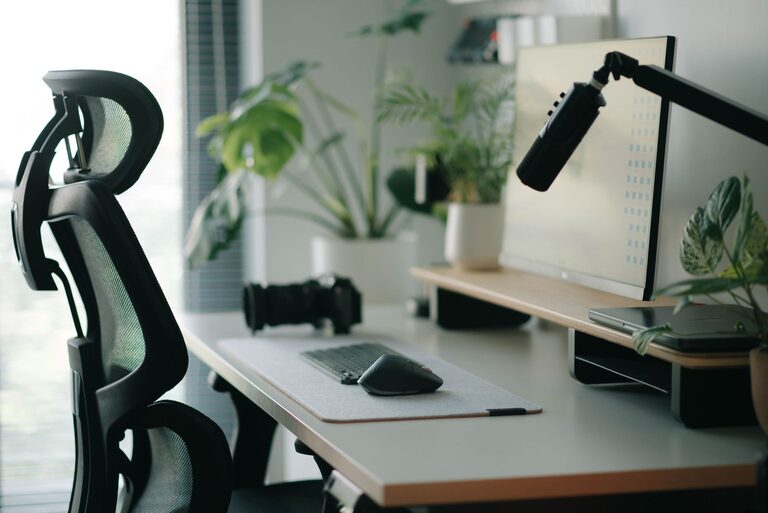
Creating a desk setup that promotes both focus and comfort is essential for productivity, whether you work from home or in an office. A well-organized, ergonomic space can help reduce distractions, prevent discomfort, and make your workday more enjoyable. In this post, we’ll explore practical tips to design a desk area that supports your best work.
Why Your Desk Setup Matters
Your workspace environment can impact your concentration, energy levels, and even your health. Sitting for long hours in an uncomfortable position or cluttered environment can cause fatigue, stress, and distractions. On the other hand, an ergonomic and organized desk minimizes strain, keeps your mind clear, and supports sustained focus.
Choosing the Right Desk and Chair
Desk Height and Size
– Proper height: Your desk should allow your forearms to rest parallel to the floor when typing. This reduces wrist and shoulder strain.
– Adequate surface area: Choose a desk large enough to hold essential items like your monitor, keyboard, mouse, and frequently used supplies without feeling cramped.
Ergonomic Chair
– Adjustability: A chair with adjustable height, backrest, and armrests helps you find the most comfortable posture.
– Lumbar support: Good lower back support prevents slouching and back pain.
– Breathable material: Choose materials like mesh for better airflow and comfort during long hours.
Monitor Placement for Eye Comfort
– Eye level: Position your monitor so the top of the screen is at or slightly below eye level.
– Distance: Keep the screen about an arm’s length away to reduce eye strain.
– Dual monitors: If you use two monitors, place them close together and at the same height to avoid neck twisting.
Keyboard and Mouse Setup
– Keep close: Place your keyboard and mouse within easy reach to avoid overextending your arms.
– Use a wrist rest: To maintain a neutral wrist position, consider a wrist rest or ergonomic keyboard.
– Mouse ergonomics: Choose a mouse that fits your hand comfortably. Some users prefer vertical or trackball mice to reduce wrist strain.
Lighting for Focus and Reduced Eye Strain
– Natural light: Whenever possible, position your desk near a window for natural light, which can boost mood and alertness.
– Task lighting: Use a desk lamp with adjustable brightness and direction to focus light where needed without glare.
– Screen brightness: Adjust your monitor’s brightness and contrast to comfortable levels to prevent eye fatigue.
Organizing Your Desk for Productivity
Declutter Regularly
A tidy desk can help reduce distractions. Keep only frequently used items on your surface and store others in drawers or shelves.
Use Desk Organizers
– Trays and holders: Use trays for papers and holders for pens to keep things orderly.
– Cable management: Use clips or sleeves to keep cables neat and avoid tangling.
Personal Touches
Adding a few personal items like plants, photos, or art can make your workspace more inviting without cluttering it.
Promoting Comfort with Movement and Breaks
– Take breaks: Stand up, stretch, or walk briefly every 30–60 minutes to reduce stiffness and boost circulation.
– Sit-stand desks: Consider an adjustable standing desk to alternate between sitting and standing.
– Footrest: Use a footrest if your feet don’t comfortably touch the floor to improve posture.
Additional Tips for a Focus-Friendly Environment
– Noise control: Use noise-canceling headphones or play soft background music if noise distractions are common.
– Temperature: Keep your workspace at a comfortable temperature to stay focused.
– Air quality: Good ventilation and fresh air can enhance alertness and comfort.
Summary
Creating a desk setup that balances focus and comfort involves choosing ergonomic furniture, organizing your space efficiently, and paying attention to lighting and movement. Small adjustments like monitor height, chair support, and decluttering can make a big difference in your productivity and well-being. Start with one or two changes and build your ideal workspace step by step.
Remember, a comfortable and organized desk encourages better work habits and helps you stay engaged throughout the day. Happy setting up!
About the Author